A Next button can help users move between live conversations or rooms. VideoWhisper offers separate paths for a peer-to-peer social site and for a PaidVideoChat directory where visitors discover available providers.
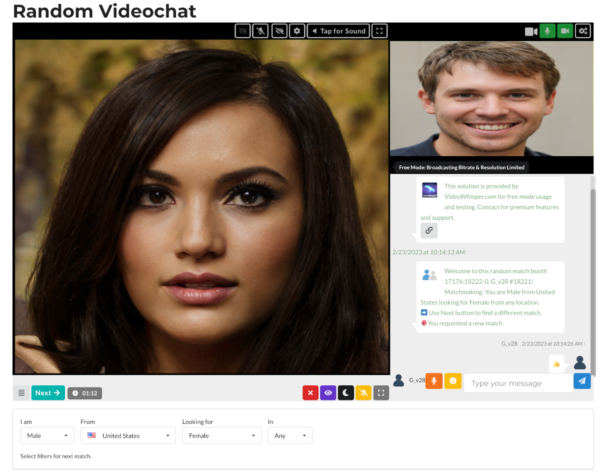
Comparable platforms
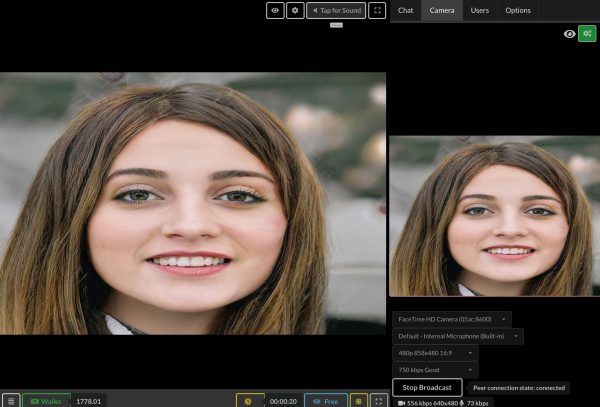
Chatroulette illustrates quick one-to-one matching between people. PaidVideoChat adapts that navigation pattern to a provider directory. A Next action can rotate through eligible streaming rooms or, with separate configuration, match a client into a suitable private session.
Choose the matching flow and test it
- For peer-to-peer matching, use the 2Way VideoCalls and Random Chat plugin. Configure HTTPS and compatible WebRTC services, then pilot joining, skipping and reconnecting with a small group.
- For provider discovery, configure PaidVideoChat rooms and decide which online rooms can be included in rotation. Start with free rooms so operators can test discovery before offering paid destinations.
- If you enable paid private matching or eligible paid rooms, review the rate, balance and grace-time behavior with test accounts. Make charges clear before customers enter any paid flow.
- Prepare eligibility, reporting and moderation workflows before opening registration. Verify that users can leave a session promptly and that unavailable or restricted rooms are excluded as intended.
Test before launch
Use different devices and accounts to check joining, skipping, no-match behavior and disconnects. If paid matching is enabled, test an insufficient balance and verify that the resulting charges match what the client saw.
Setup resources
Official PaidVideoChat matchmaking setup · 2Way VideoCalls and Random Chat plugin · WebRTC hosting options · PPV Live Webcams plugin · PaidVideoChat demos · Compare live hosting
Browse PaidVideoChat recipes · Compare VideoWhisper plans and services

Turnkey Clone – How to Create Sites liked this on Facebook.