Give clients a way to browse readers by specialty and request a private reading from an available advisor. PaidVideoChat’s Psychic Readings recipe starts with a WordPress directory, advisor room settings and optional voice or text sessions.
Comparable platforms
Keen and Kasamba illustrate choosing an advisor by specialty and contacting them privately. On your site, make each advisor’s availability, channel and rate easy to check before the client sends a request.
Set up the Psychic Readings recipe
- Preview Psychic Readings in Site Setup. Create the advisor directory as a draft if needed, choose specialties such as tarot or astrology, and approve a small group of test readers.
- Assign each advisor’s room the Psychic Readings mode and a specialty. Configure eligible positive per-minute rates separately for voice and text. Clients review the rate and minimum balance before requesting a reading.
- Configure a supported wallet and decide how advisors handle availability, declined requests and follow-ups. The Voice consultations preset can keep the public waiting area text-only while private microphone calls are available.
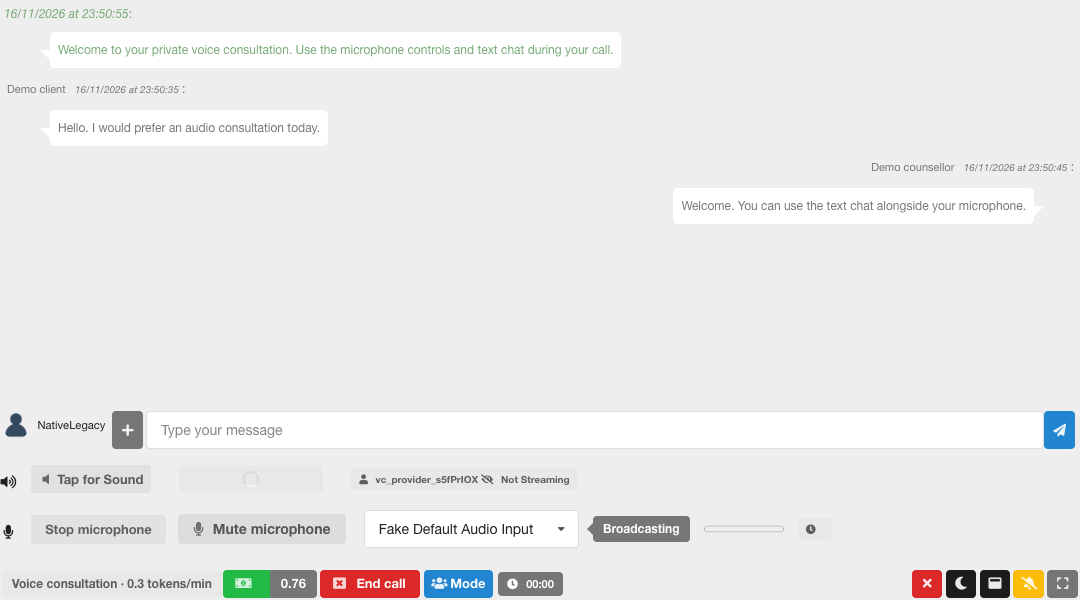
- Test the standard paid route in HTML5 Videochat. If you have the optional managed voice bridge, test eligible voice sessions in Webcam App after advisor acceptance. The voice workflow is browser-based.
Test before launch
Use separate client and advisor accounts to try Talk Now and Chat Now. Check that text works without camera or microphone permission, a voice call uses the expected audio controls, and billing behaves as documented when a reading ends or runs low on credit.
Setup resources
Official Psychic Readings setup · PPV Live Webcams plugin · PaidVideoChat demos · Compare live hosting
Browse PaidVideoChat recipes · Compare VideoWhisper plans and services